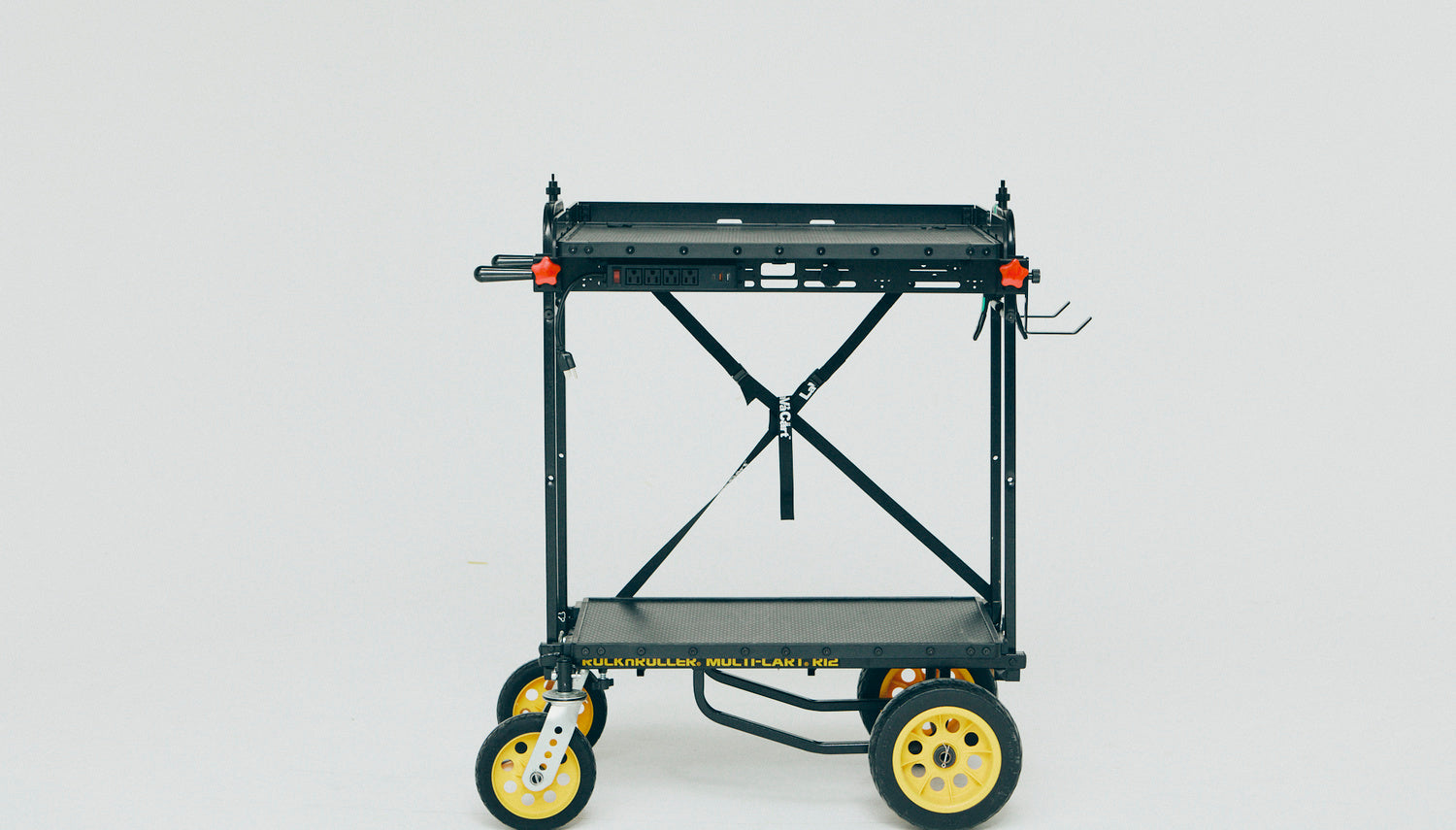
In December 2024, studio photographer Illya Ovchar reviewed the LAVA MOTI shelf for Fstoppers after fitting it to a RocknRoller R12 he already owned. Read his full review on Fstoppers. Below is a short summary in our own words, and how his notes map to what we sell.
Photos in this post, including the one at the top: Illya Ovchar.
What he liked
A bigger, safer work surface. The shelf is wider than the cart itself. He already had RocknRoller's extra-long shelf, but he preferred the MOTI because gear was less likely to slide off, thanks to the extra mounting points and a magnetic raised edge, like our Lava Wall.

Cable management. Two ports pass cables below the surface, and a screw-mounted power strip lets the whole station run from a single cord to the wall. That means you can roll the setup around a studio without cables snagging or things powering down. His one complaint: he is based in Germany, and our power outlet is built for US plugs.

Mounting points everywhere. He added screw mounts so a tripod head sits on the cart and holds his camera between shots. He also found the accessories made the cart more stable, reduced wobble in the top shelf and made wheel removal easier.


What he wanted more of
He would like to see more accessories, such as small shelves under the deck for a phone, hard drives or a small computer, and a softer or mouse-friendly top surface. He also suggested a tensioner for the mounting screw.

Other carts
He notes the shelves are compatible with other carts too, including Gator Frameworks, Rockville, ProAim Vanguard and On-Stage. Our compatible carts page has the full list, and we wrote up the Gator in Gator Frameworks All-Terrain Cart: Compatible with LAVA Shelves.

Build the same setup
Start with the MOTI 28" dual shelf system on a RocknRoller R12. Add a Lava Mount for a 1/4"-20 or 3/8" mount point on the cart frame, the R12 Tensioner to reduce wobble, and check the spacer kit finder for your cart.